The product
Coding you can touch.
Physical logic blocks that snap together into real programs, no typing, no syntax, just magnetic blocks and a scan.
Want the evidence behind this? Read the research →
How PhysiCode works
Step 01
Pick a Mission
An illustrated Mission Card sets a clear, friendly goal, something a learner can hold and re-read.
Step 02
Arrange the Blocks
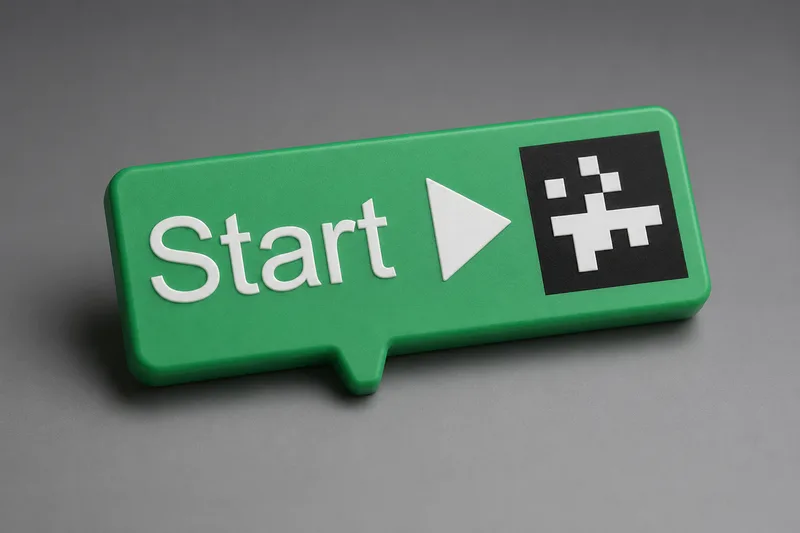
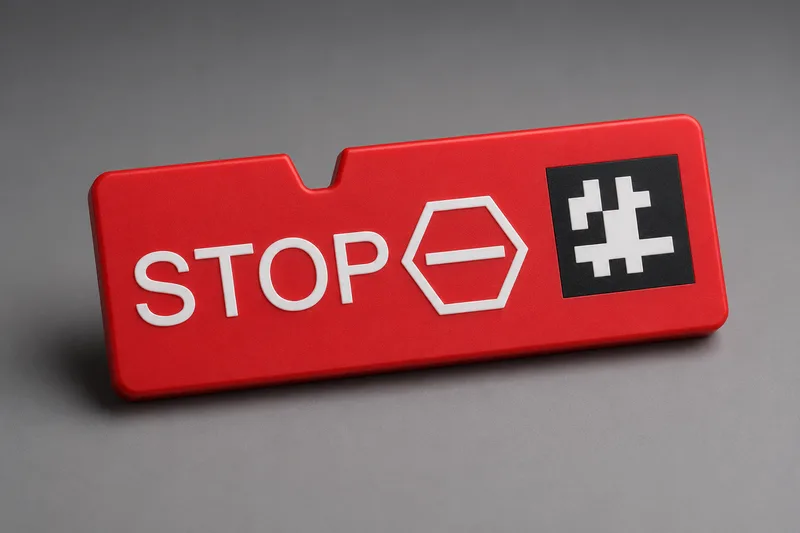
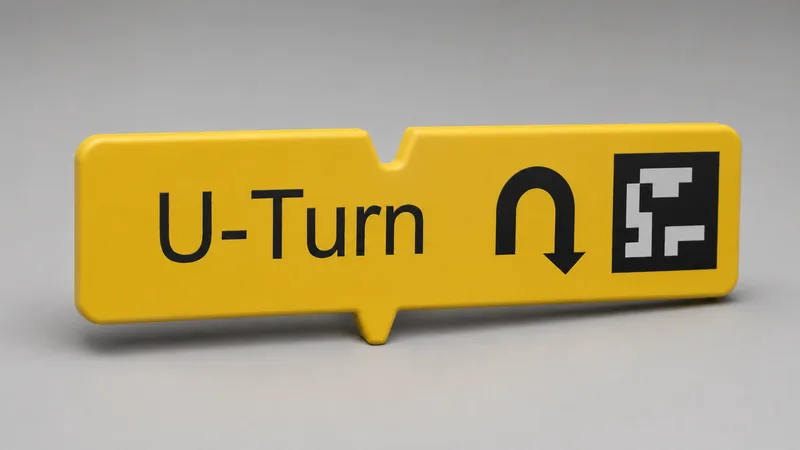
Magnetic logic blocks snap together into a sequence. The program is physical, you can feel the logic build.
Step 03
Scan
One photo with the companion app. The only screen time is a photo, the arrangement becomes robot code in seconds.
Step 04
Watch It Run
The robot executes the program, step by step. Real feedback, immediately, retries are part of the design.
The world they explore
Real roads, real destinations.
Learners program the robot to drive a printed city grid, to the school, the hospital, the playground, one block at a time.
A different starting point.
| Feature | PhysiCode | Screen-first coding tools |
|---|---|---|
| Zero typing required | Yes | Most require typing or precise clicking |
| Physical blocks you can hold | Yes | No |
| Built to be fully inclusive | Yes | Rarely |
| Works with robots schools already own | Yes | Varies |
| Structured Mission Card curriculum | Yes | No |
| Screen time during a session | A photo | The whole lesson |
Interactive demo
Try it right now, no kit required.
Blocks
Drag onto your script, or tap to add.
Your script
Drag or tap blocks here to build a program.
This is the whole idea. No syntax. No typing. Real logic.
What’s in the kit
Every program has a beginning.
…and a clear end.
Sequencing, one step at a time.
Direction and spatial reasoning.
Direction, mirrored.
Reversing a path.
Timing: the robot can pause on purpose.
Cause and effect you can see.
Loops: do it again without rebuilding it.
A compatible robot
Each kit is self-contained and classroom-ready, robot included, and it drives robots schools already own too.
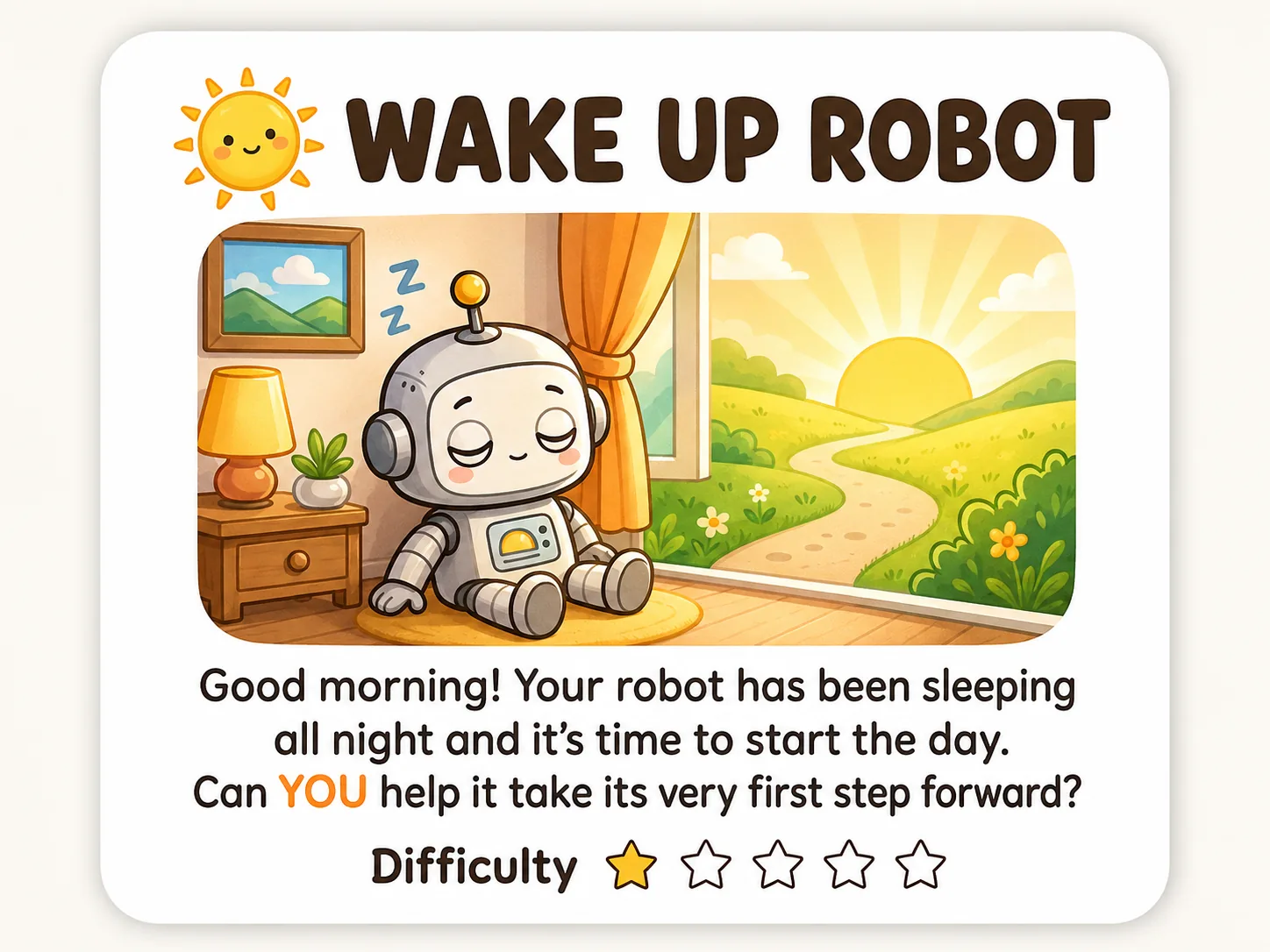
Mission Cards
Scaffolded challenges that guide learners through progressively complex ideas.
A Mission Card from the kit
Companion app & washable markers
The app photographs the arrangement and turns it into working robot code in seconds. Markers fill in the parameter slots.
The real blocks
Works with what schools already own
PhysiCode generates code for micro:bit-based robots schools already have, like the Cutebot Pro. Arduino support is on our roadmap.
- No typing, no syntax errors
- Works with robots schools already own
- Built for every learner, not as an afterthought
Want to see the software?
The companion app your learners would use, the only screen time is a photo. The camera photographs the blocks on the table, not the child.
Open the App Demo (opens in new tab)
An educator? Pilots and workshops for schools →